• Skip to primary navigation
  • Skip to main content
  • Skip to primary sidebar
  • Skip to footer

Retro Rendezvous

Connect, Collaborate and Code

  • Home
  • Recommended Resources
  • About Me
  • Contact Me
  • en EN
    • en EN
    • es ES

Paul Bussey

2026 03 : Falkirk, Business Hub – The I.T. Crowd (Scotland)

March 30, 2026 by Paul Bussey

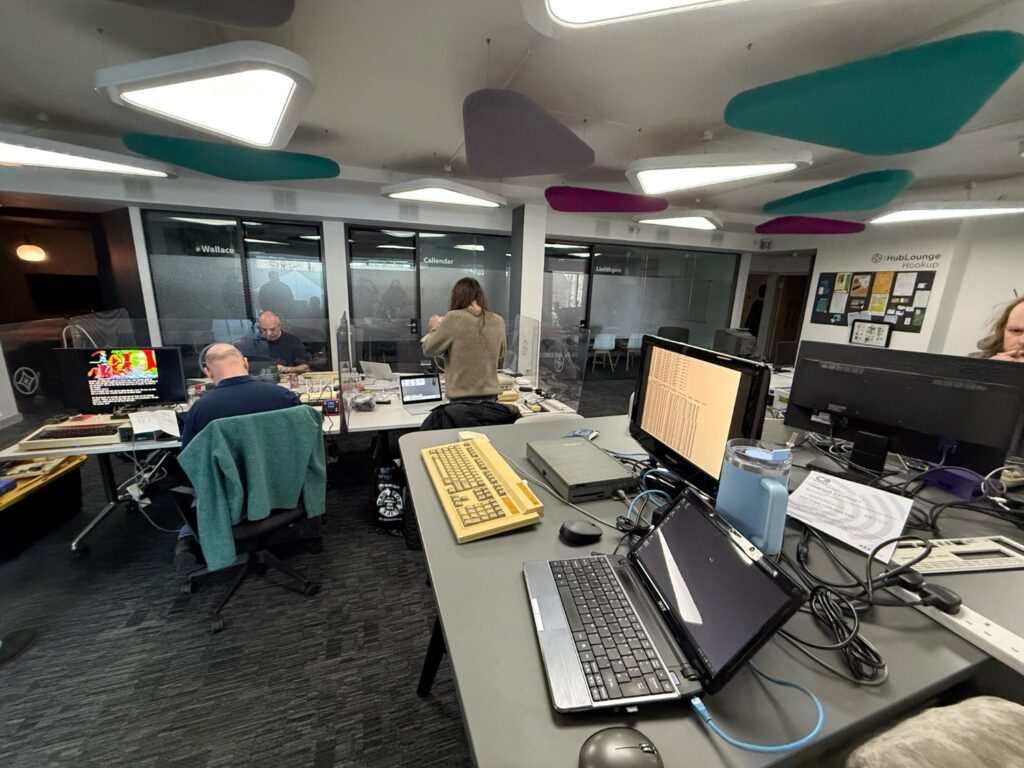
Meetup begins
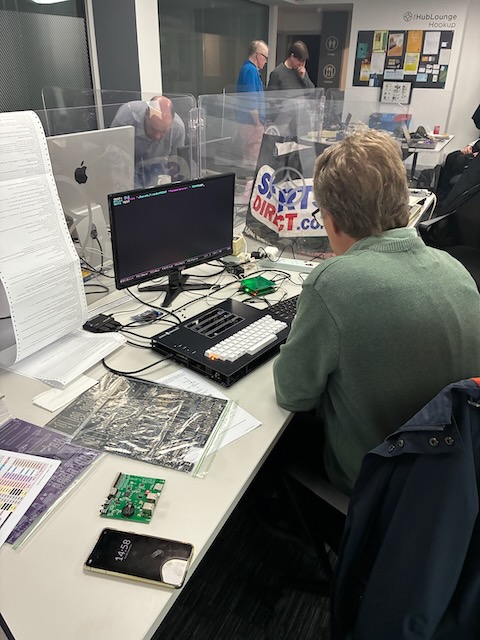
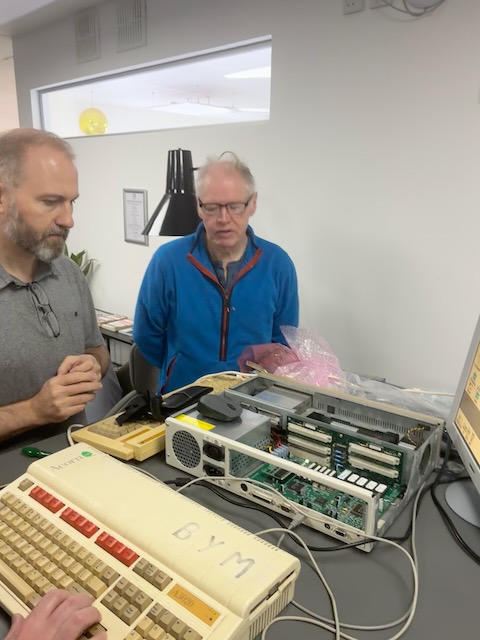
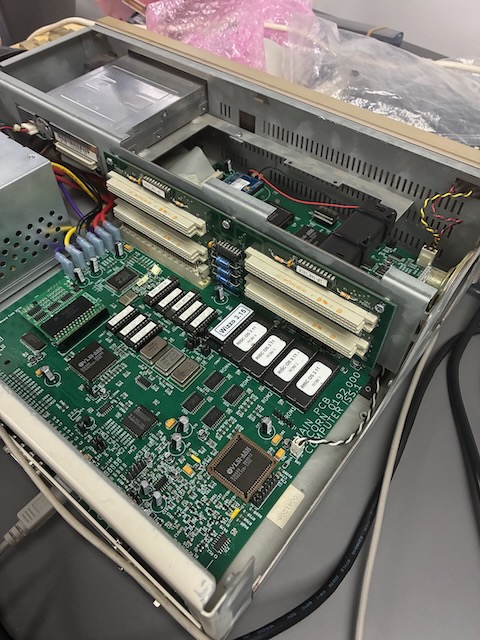
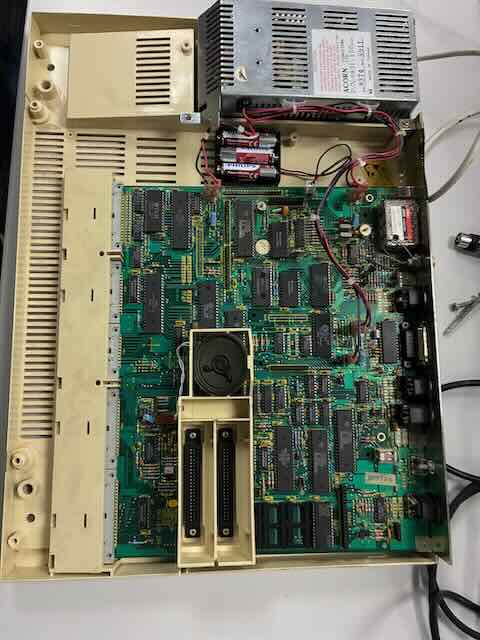
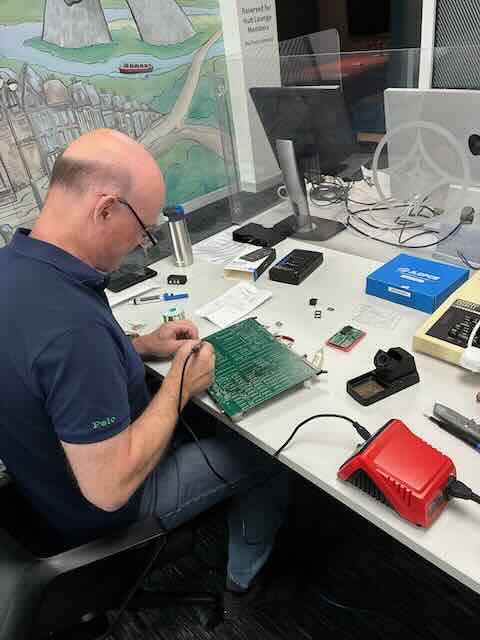
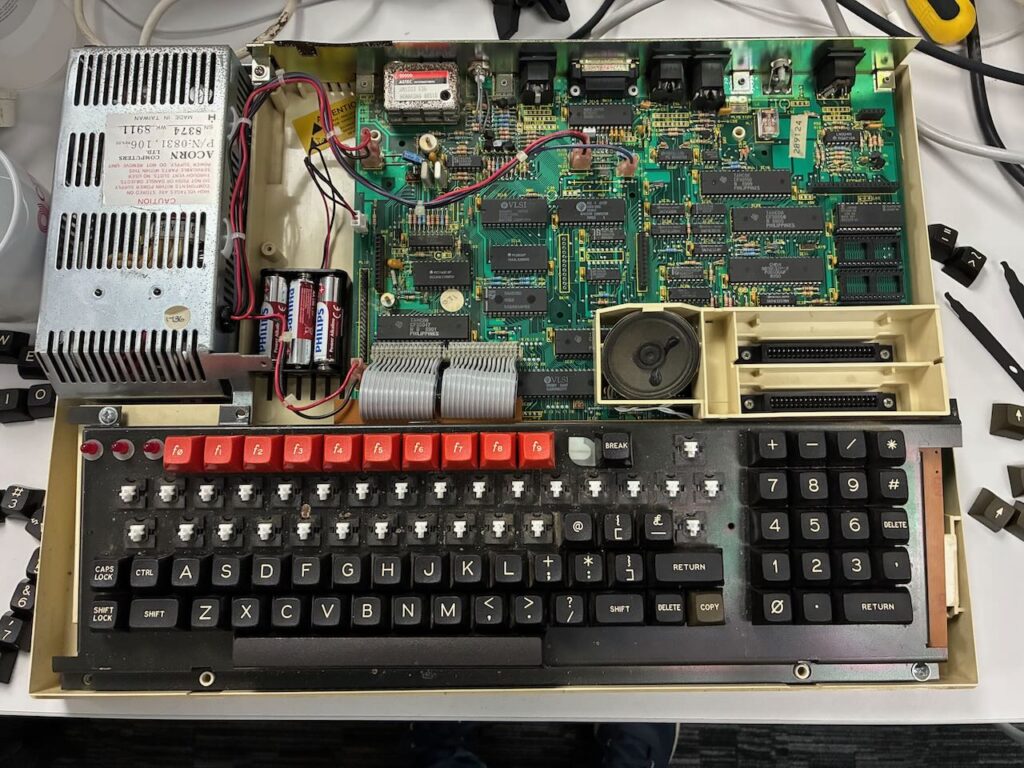
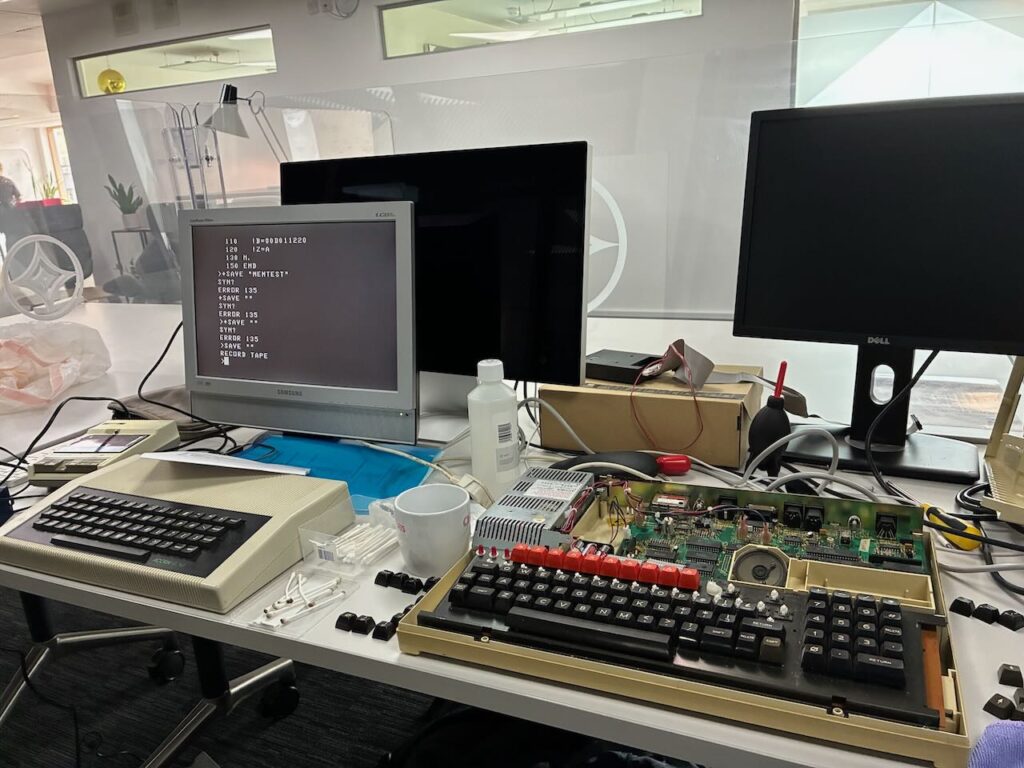
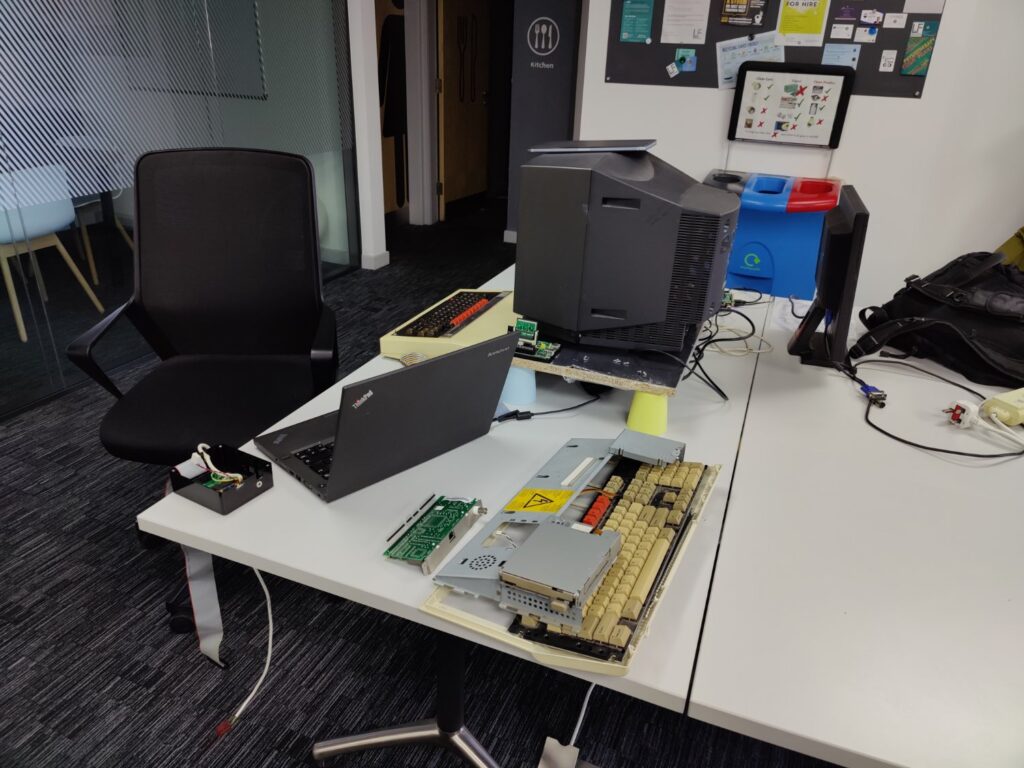
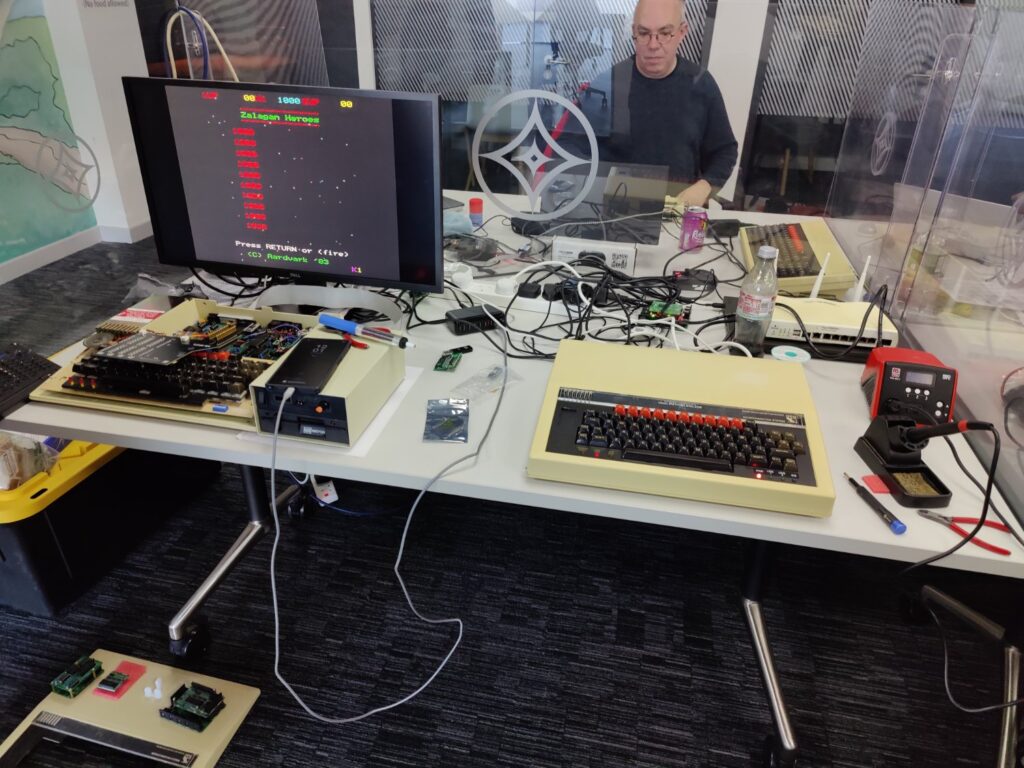
Pieces of Michael’s poorly A3020
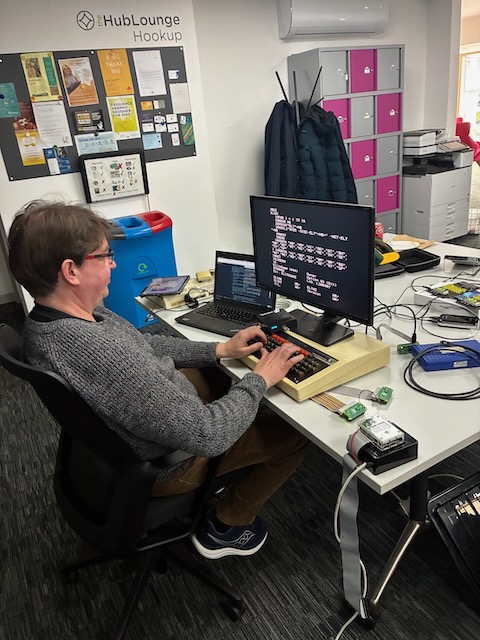
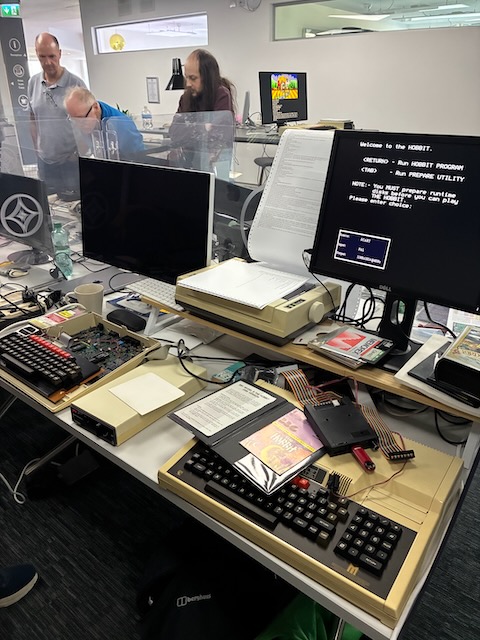
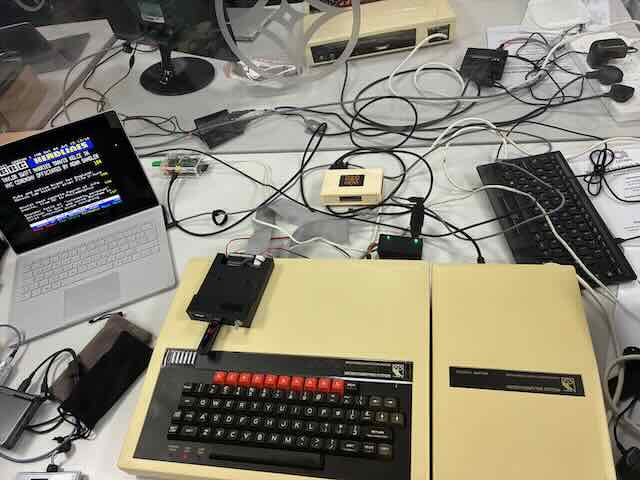
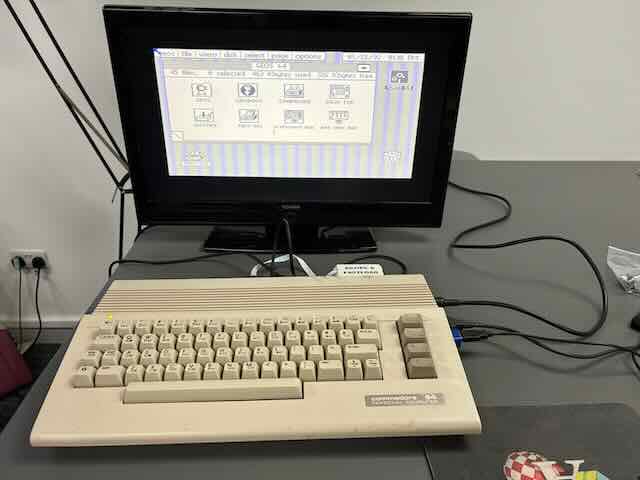
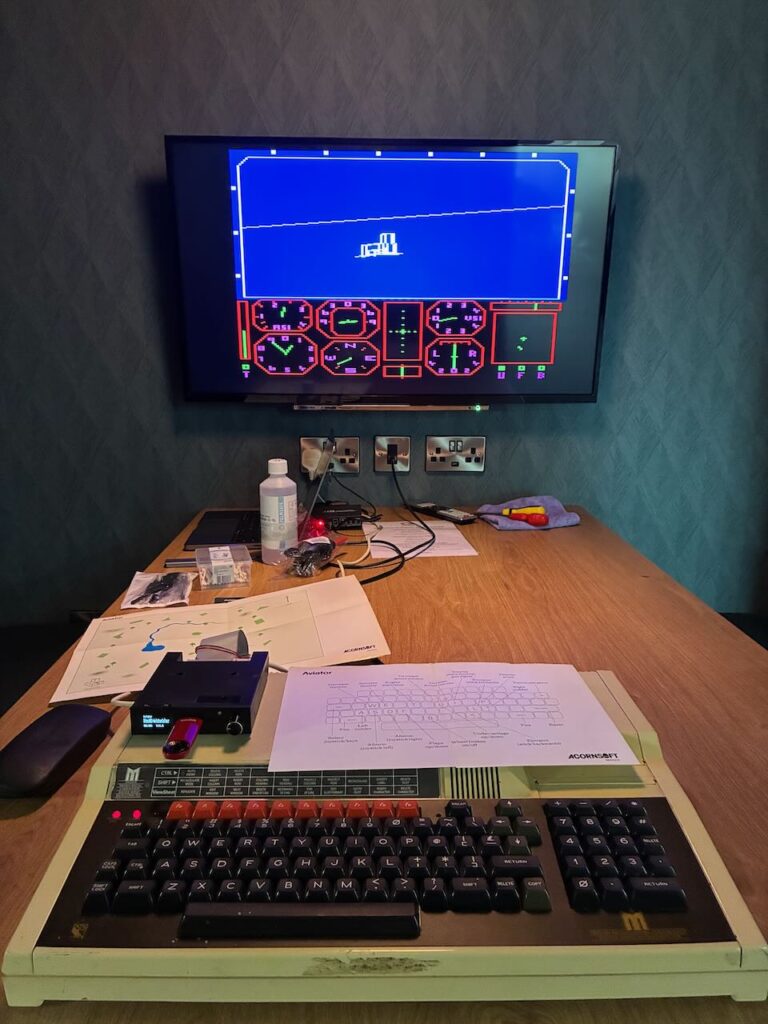
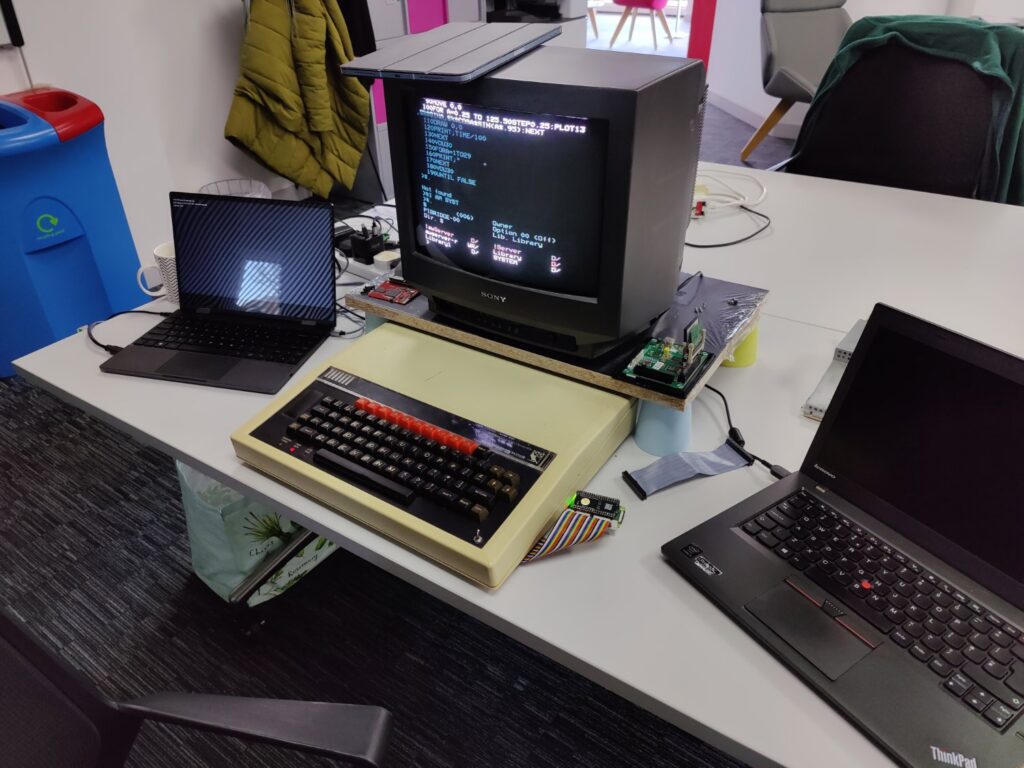
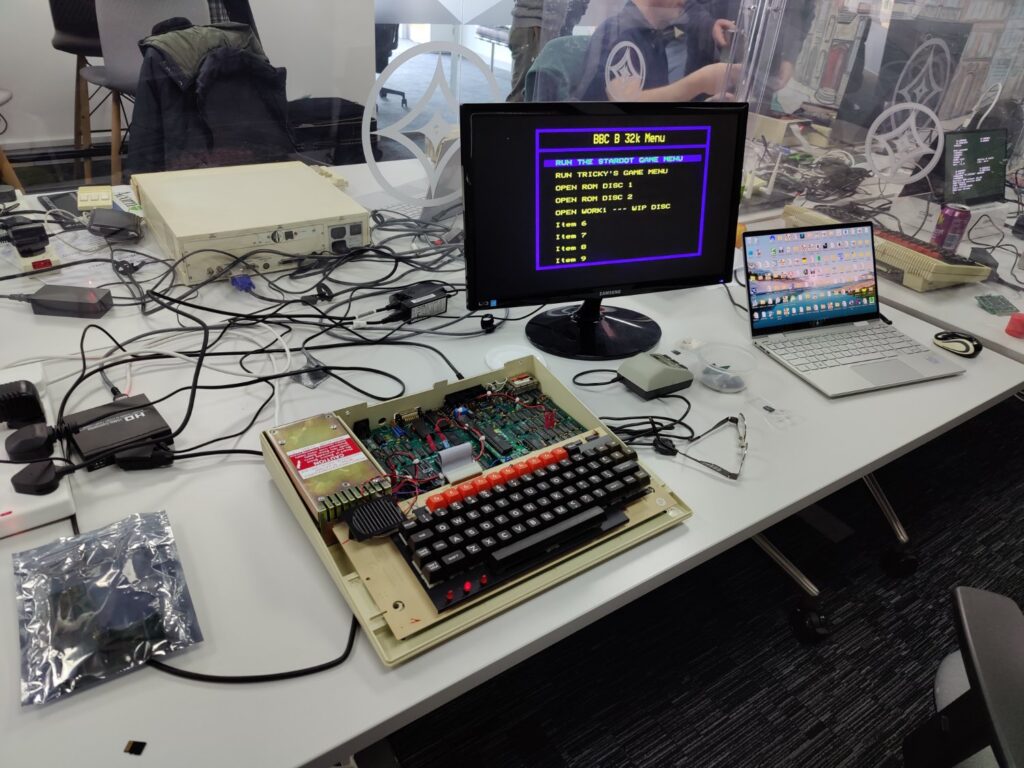
Michael’s BBC B setup
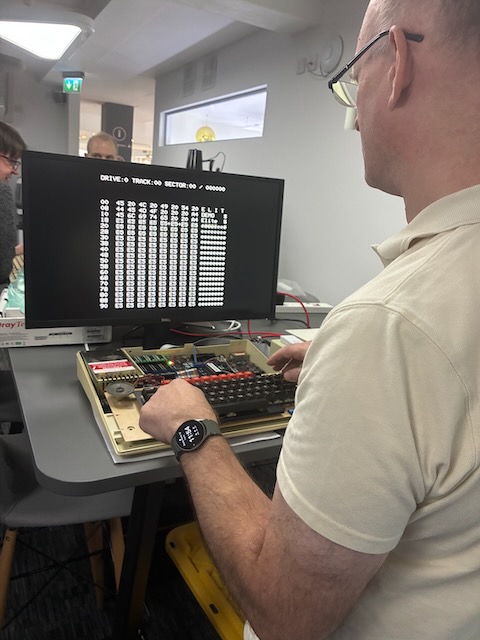
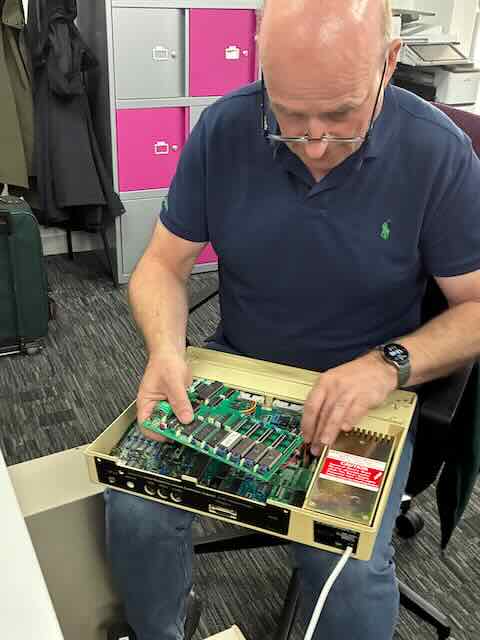
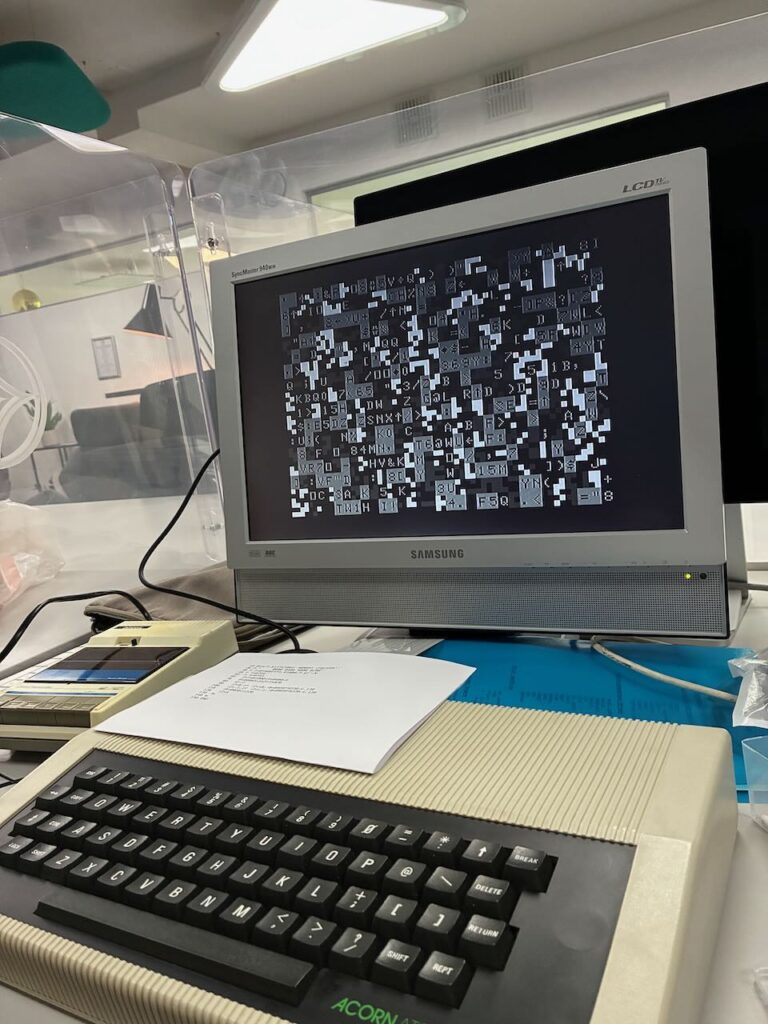
Ken’s BBC B with what looks like one of his IntegraB boards and Alasdair’s BBC B on the right being tested after some upgrades
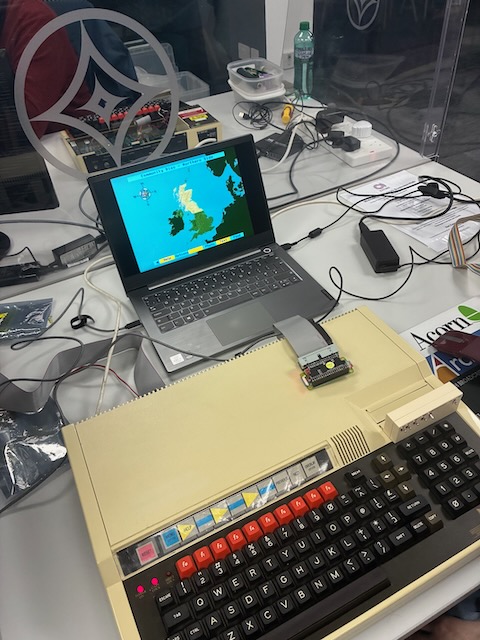
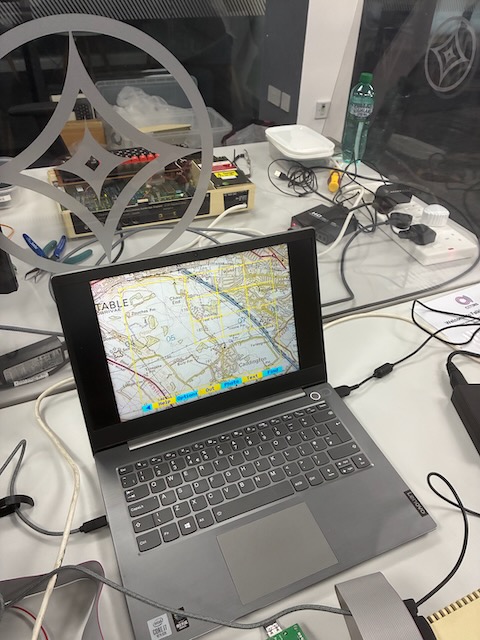
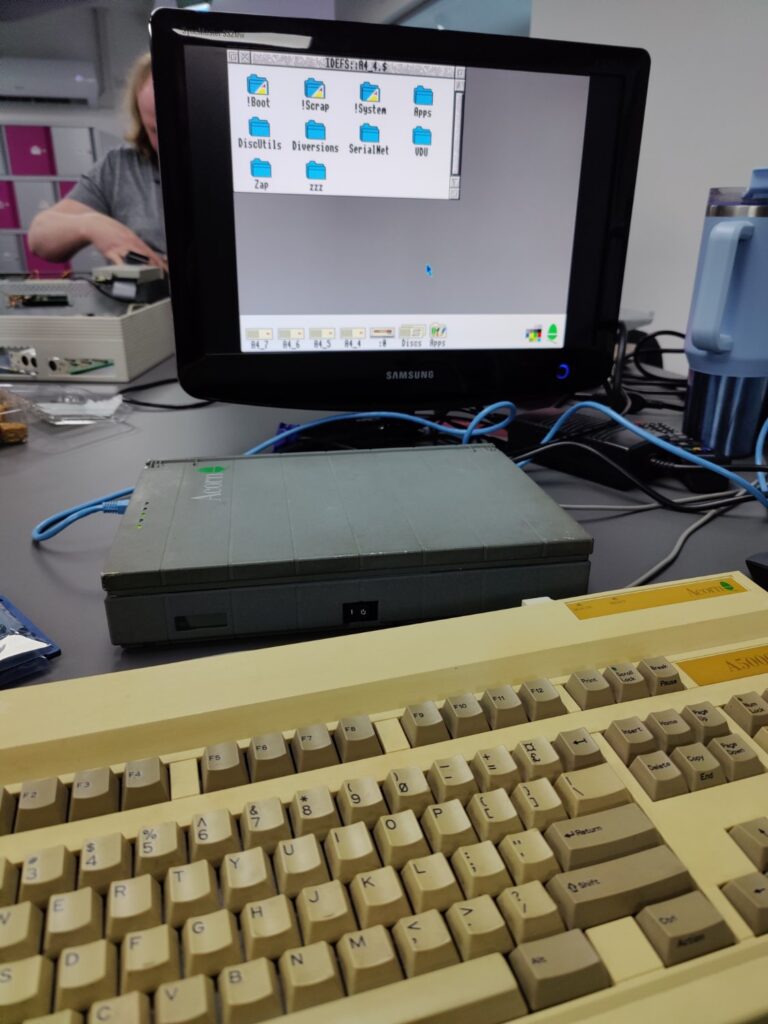
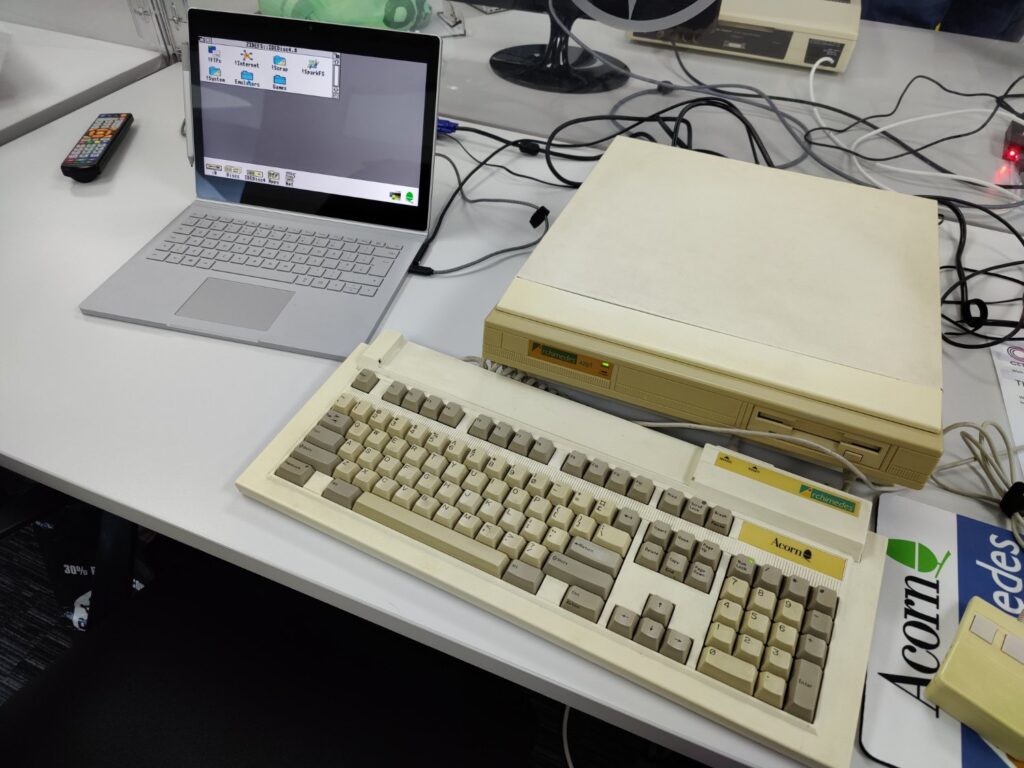
Ian’s Acorn A4 laptop with one of his in development Ethernet cards fitted
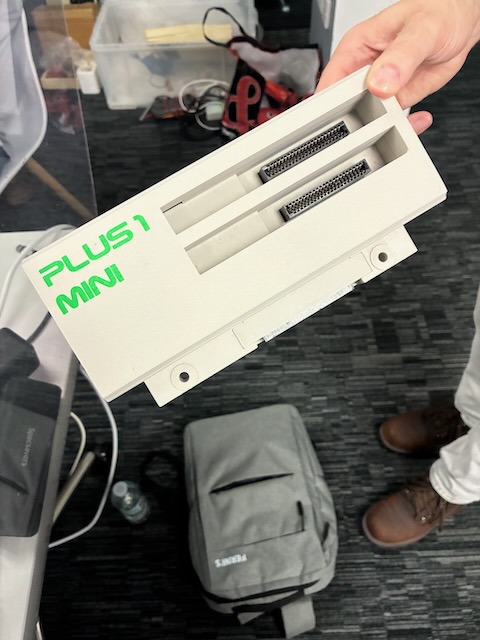
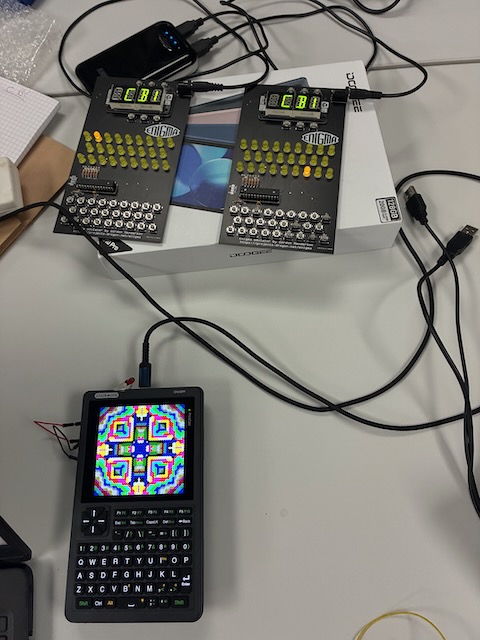
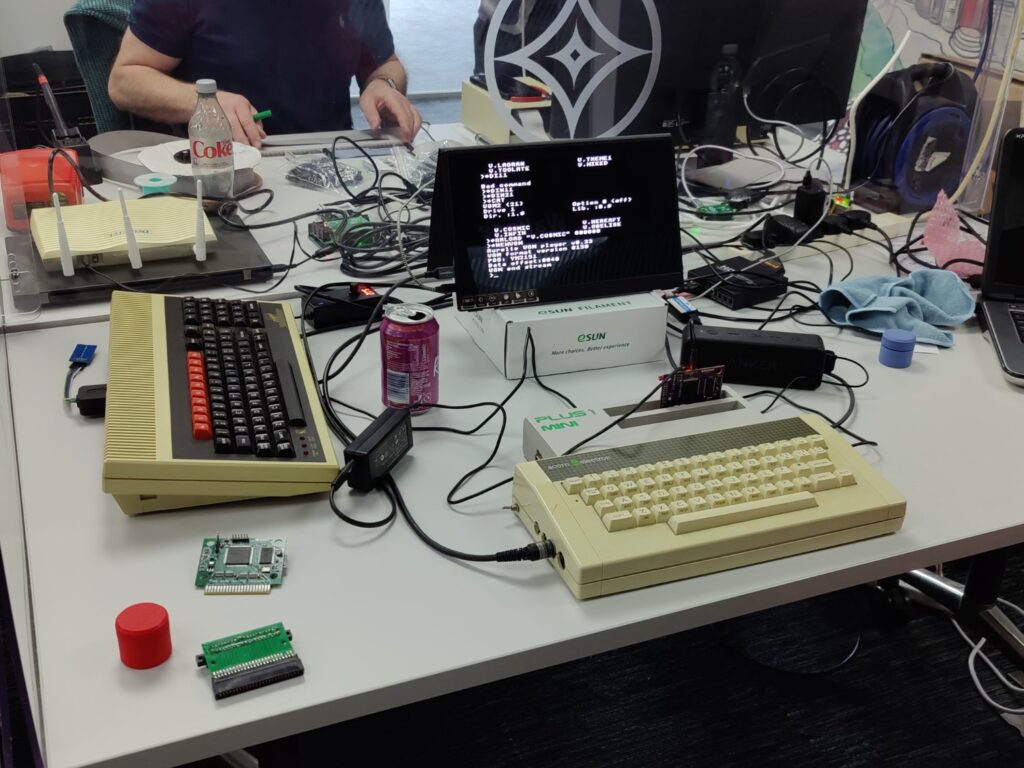
Gary’s Acorn Electron with his Plus 1 mini and custom sound card. Master Compact to the left
Dave’s setup
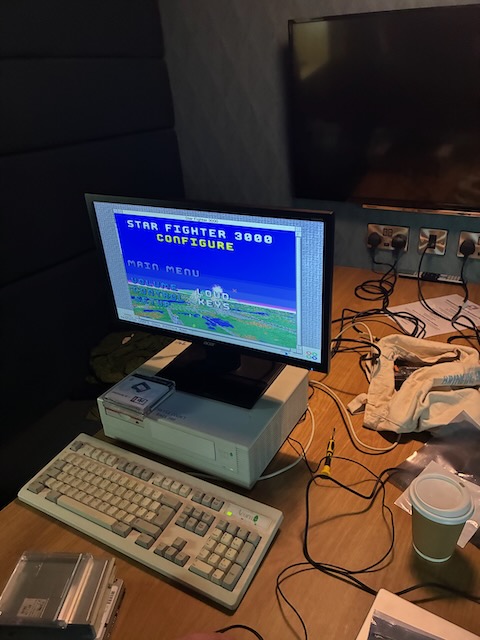
Chris’s Archimedes A420/1

IT Crowd (Scotland) – March Meetup Roundup

Falkirk – Saturday 28th March 2026

There’s something quietly special about a room full of old machines being brought back to life—especially when they’re surrounded by people who understand them.

Our March IT Crowd (Scotland) meetup delivered exactly that: a relaxed but deeply engaging day of tinkering, troubleshooting, sharing ideas, and—just as importantly—enjoying the company of fellow enthusiasts.


A Room Full of Living History

From the moment things got underway, the room filled with that familiar blend of discussion, keyboard clicks, and the occasional victorious “it’s working!”

Setups ranged from neatly restored systems to open-case diagnostic workbenches. There’s always a contrast at these events between machines in pristine condition and others mid-surgery—and both are equally fascinating.


Archimedes, A-Series and Modern Bridges

A highlight was seeing an Archimedes A420 running happily alongside modern hardware, with RISC OS still feeling surprisingly usable. There’s something enduring about that desktop—clean, efficient, and unmistakably Acorn.

We also had an Acorn A4 laptop fitted with an in-development Ethernet card. This kind of work—quietly pushing these machines into modern connectivity—is exactly what keeps the platform alive rather than just preserved.


BBC Micro, Repairs, and Upgrades

Several BBC Micros were in various states of attention—from fully working systems to machines undergoing careful repair and upgrade.

  • One setup featured an IntegraB board, showcasing just how far the BBC Micro can be extended.
  • Another machine was being tested after upgrades—always a tense but satisfying moment when it springs back to life.
  • Elsewhere, a “poorly” A3020 had been partially dismantled, with components laid out for diagnosis.

These hands-on moments are where the real value of the meetup shines—shared knowledge, second opinions, and that collective persistence to get things working again.


Electron Experiments and Custom Hardware

The Acorn Electron also had a strong showing, including:

  • A Plus 1 mini expansion
  • A custom sound card project

This kind of development work is particularly exciting—it’s not just restoration, it’s reinterpretation. New capabilities being built for old machines, often with a level of ingenuity that rivals anything from the original era.


Why These Days Matter

What stood out most wasn’t any single machine, but the spirit of the day:

  • People bringing along projects in progress
  • Others offering advice, parts, or just encouragement
  • A shared understanding that these systems are worth preserving—not just as artefacts, but as working machines

There’s also something refreshingly analogue about it all. No pressure, no rush—just time spent understanding how things work.


Looking Ahead

These smaller, focused meetups continue to prove their value. They’re easy to attend, easy to contribute to, and always productive—whether you come with a problem to solve or just curiosity.

If you’ve got an Acorn machine (or any retro system) sitting idle, consider bringing it along next time. Chances are, someone in the room will help you get it running again.

And even if not—you’ll still have a good day talking about it.


Thanks to everyone who came along, brought hardware, shared knowledge, and helped make the day what it was.

Filed Under: Event

Riddles in the Dark : Goblin Cave Adventure

March 22, 2026 by Paul Bussey

Copy and paste the program text in the file below to Owlet

GoblinCaveAdventureV5Download

Surviving the Darkness: A Guide to “Goblin Cave Adventure”

Picture this: It’s the early 1980s. The room is dark, save for the warm, phosphor glow of a CRT monitor. The mechanical clatter of your Acorn BBC Micro keyboard echoes as you frantically type “KILL NASTY GOBLIN”. You are playing Melbourne House’s legendary 1982 text adventure, The Hobbit.

What made that game so magical wasn’t just the graphics or the prose; it was the fact that the world felt alive. Characters didn’t just wait for you in rooms—they wandered, they fought, they got lost, and they died while you were off doing something else entirely.

I wanted to recapture that exact feeling. I wanted to build a game that felt like a lost cassette tape from 1984, but with a modern twist: infinite replayability.

The result is Goblin Cave Adventure, a procedurally generated, living text adventure written entirely in authentic BBC BASIC II.

The Motivation: 32KB of Living Ecosystem

My goal was simple but technically daunting: Could I build a procedurally generated maze, an auto-mapper, a real-time command parser, and an ecosystem of autonomous NPCs that loot items, unlock doors, and fight each other… all within the brutal constraints of the BBC Micro’s memory?

Because BBC BASIC II lacks modern luxuries like multi-line IF…ENDIF blocks, the code is a beautiful, tangled web of single-line logic, clever array management, and Mode 7 Teletext trickery.

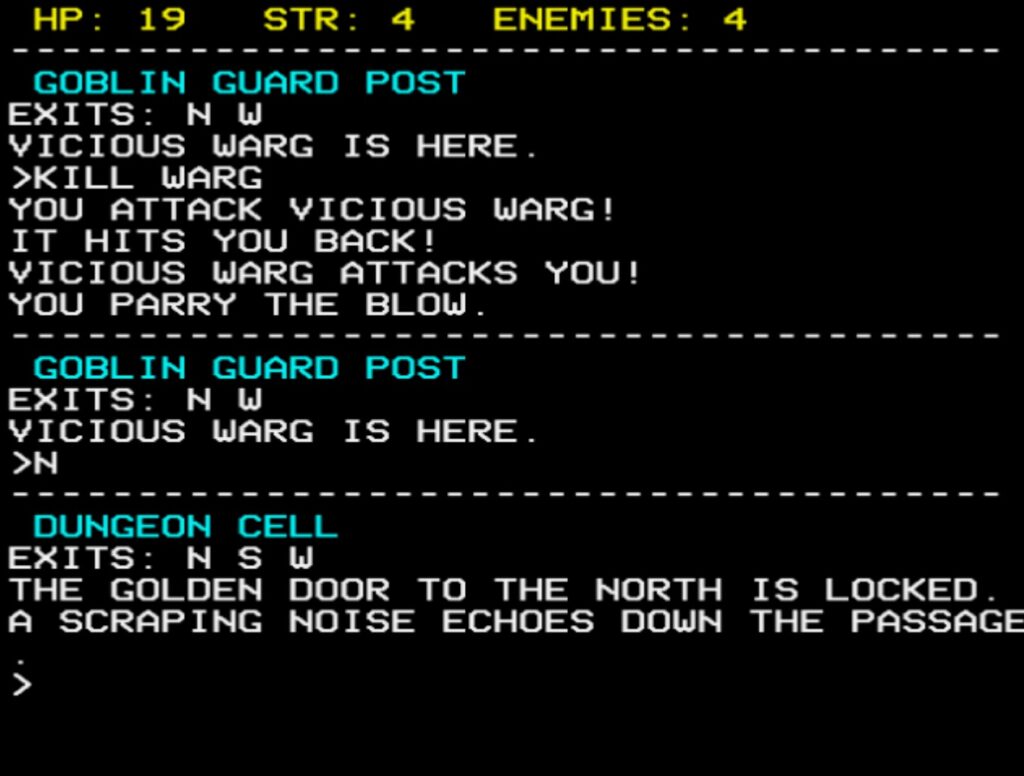
But the effort was worth it. The cave system is a living MUD-lite. If a wandering Goblin hits a locked door, he’ll turn around—unless he happened to find the matching key on the floor a few turns ago, in which case he’ll unlock it! If Gandalf crosses paths with the Great Goblin, they will fight to the death. If you are a room away when this happens, you might just read: “You hear a lock click,” or “A scraping noise echoes down the passage.”

It is a game where you are not the center of the universe. You are just trying to survive it.


How to Play: Surviving the Depths

Your overarching objective is to clear the caves of darkness. There are 5 hostile enemies (Gollum, the Vicious Warg, two nasty Goblins, and the Great Goblin). If you can eliminate them all, you win.

The Interface & Stats
At the top of the screen, you will see a fixed, non-scrolling yellow HUD tracking your vitals:

  • HP (Hit Points): You start with 20. Take a hit, lose 1 HP. Hit 0, and you die in the dark.
  • STR (Strength): You start at 4. (Hint: if you find and TAKE STING, your strength jumps to 6!)
  • ENEMIES: The number of bad guys left alive. Friendly dwarves and Gandalf don’t count—and if they kill a goblin for you, this number will tick down!

The Commands
The parser is forgiving (case-insensitive) but strictly 1980s. Here is your survival toolkit:

  • Movement: N, S, E, W, U (Up), D (Down).
  • Look Around: L or LOOK.
  • The Auto-Mapper: Type M or MAP. This is a massive quality-of-life feature! It pauses the game and draws a complete Teletext map of everything you have explored on both the Upper and Lower levels.
  • Inventory: I, INV, or INVENTORY.
  • Item Management: TAKE [ITEM] and DROP [ITEM]. (e.g., TAKE STING, DROP KEY).
  • The Ring: WEAR RING grants you 10 turns of invisibility. Enemies will not ambush you, and if you attack them, they will thrash blindly in the dark! Type REMOVE RING to take it off.
  • Doors: Four colored doors (Golden, Curious, Iron, Red) block your path. Use OPEN, CLOSE, LOCK, and UNLOCK to interact with them (assuming you have the right key!).
  • Combat: Type FIGHT, ATTACK, or KILL (e.g., FIGHT GOBLIN).
  • Spying: Type NPC at any time to pull up a debug screen showing which NPCs are alive, dead, and exactly what items they have looted from the map!

The Real-Time Twist
While it is a turn-based text adventure, it is also watching the clock. If you sit at the > prompt for 30 seconds without pressing a key, the game will automatically execute a WAIT command. The world will tick forward, enemies will move, and you might suddenly find yourself ambushed by a Warg while you were sipping your tea!

Ready to Descend?

If you want to step back into 1984, fire up a BBC Micro emulator (like BeebEm, B-Em, or JSBeeb in your browser), paste in the code, and type RUN.

Keep your wits sharp, let the dwarves do the heavy lifting if you can, and whatever you do… listen closely to the noises in the dark.

Filed Under: BASIC Programming, BBC Micro B

2026 03 : Cordoba, La Zona – Retrobytes Mini Meetup

March 22, 2026 by Paul Bussey

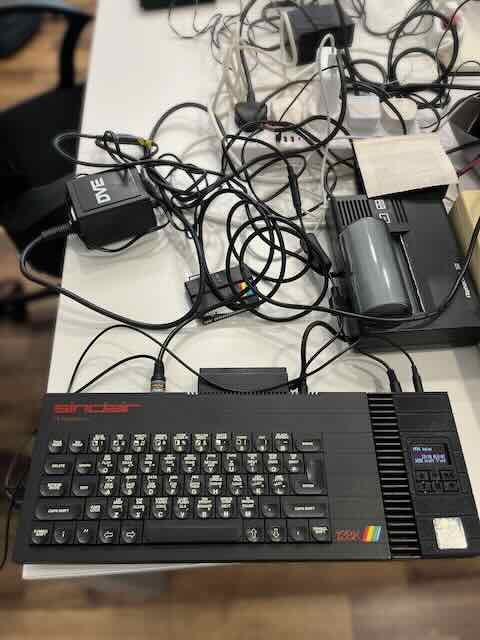
At this month’s Retrobytes meeting at LaZona Coworking , something seemingly simple ended up attracting a lot of attention: printing again from a ZX Spectrum.

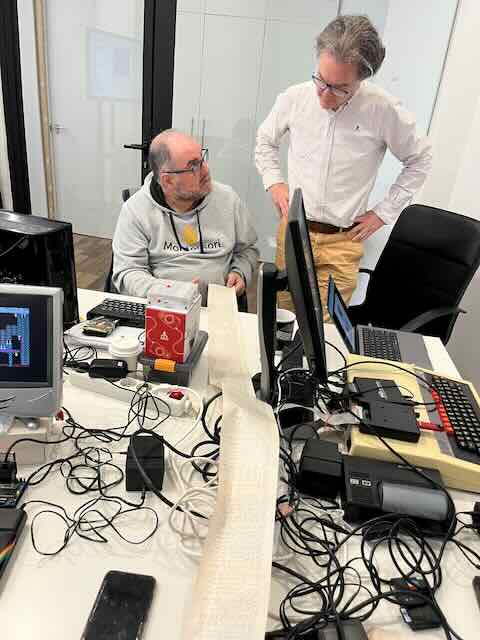
Using an Alphacom 32 , I printed a long list of Mythic Map ‘s code along with some of the game’s graphical output. Even surrounded by modern monitors, adapters, and several different machines on the table, watching the BASIC code slowly appear on thermal paper still has something special about it.

Mythic Map is a project that explores procedural map generation and simple adventure-style navigation on the ZX Spectrum, with the idea of ​​traversing a generated world rather than following a fixed map. Printing the code and some of the visual output fit perfectly with that way of working from the 1980s, when reviewing a program on paper was completely normal.


Multiple demonstrations at the same time

The atmosphere in the morning was very typical of these Retrobytes gatherings: several technical conversations happening at the same time around the same table.

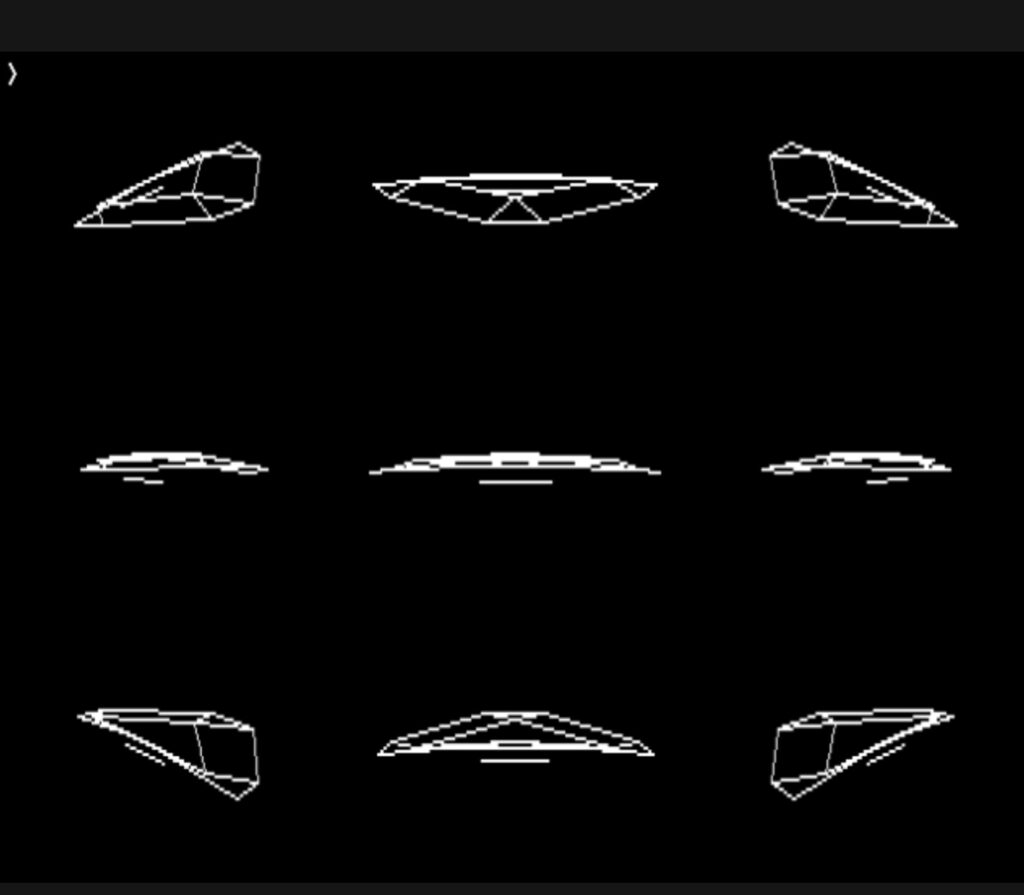
While the Alphacom 32 was printing meters of BASIC listing, I also showed a small demonstration of 3D wireframe graphics in BBC Micro , using simple lines and basic perspective.

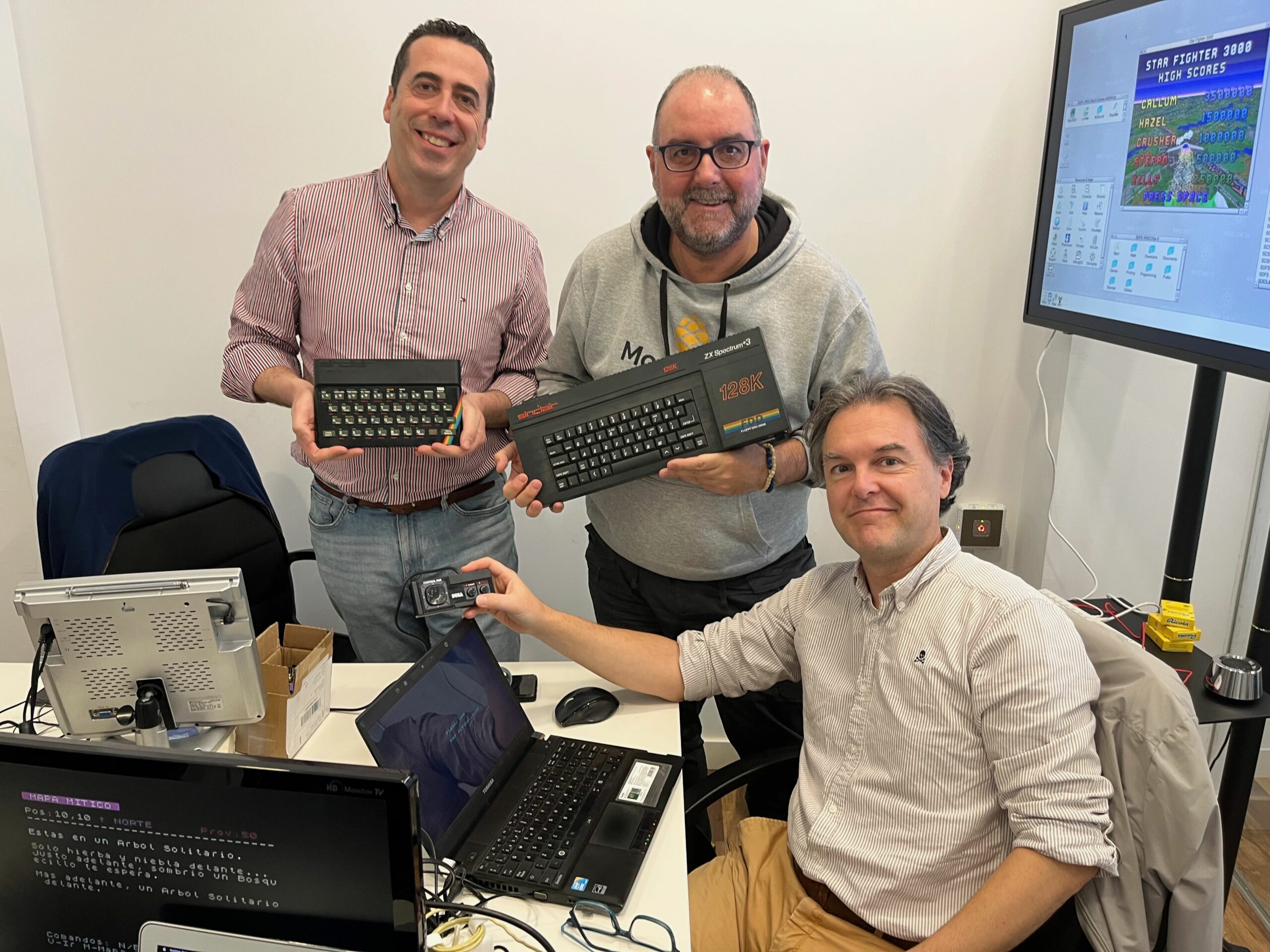
Meanwhile, José showcased an impressive modern 3D racing game for the ZX Spectrum, a recent competition winner, demonstrating just how much the machine continues to amaze today.

Natxo also brought his own Sinclair BASIC version of Mythic Map , which led to a comparison of different ways of approaching the same idea within the limitations of the Spectrum.

Francisco was also at the table during the session, on a morning where someone was constantly moving from one screen to another, commenting on a technical solution or asking about a specific connection.


Sinclair ZX Printer vs Alphacom 32

The first truly iconic printer in the Sinclair environment was the Sinclair ZX Printer , launched in 1981 with a price of £49.95 , which today would be roughly equivalent to 210–230 euros .

It was a printer that was very representative of the Sinclair style: small, ingenious, economical and quite different from any other option of the time.

Their system didn’t use ink or thermal paper, but rather electrical spark printing on metallized paper. Small electrical discharges burned dots onto the paper, allowing the printing of BASIC listings, simple graphics, and screen captures.

Its advantages were clear:

  • very small size
  • relatively affordable price
  • direct connection and easy use with Sinclair machines

But its limitations soon appeared as well:

  • I needed special metallic paper
  • The print quality was limited and degraded over time.
  • the mechanism could be delicate
  • It generated a lot of electrical interference.

Although technically very original, over time it began to be seen more as a curiosity than a truly practical printer. Sinclair eventually lowered its price to maintain interest, but even so, it ended up being withdrawn from the market relatively soon, partly because other thermal or dot-matrix solutions offered greater reliability and practical utility.

The Alphacom 32 , which appeared shortly afterwards for around £59.95 (about €250–290 today ), solved many of those problems.

When using thermal paper , it offered:

  • cleaner and more uniform printing
  • quieter operation
  • easy to replace paper
  • greater overall reliability

Furthermore, it gave a feeling much closer to a practical home printer than to a technical experiment.

That explains why it remains so interesting today: compatible thermal paper is still readily available and many units still function well with basic maintenance, usually printhead cleaning and power checks.

Viewed together, both printers represent two very different approaches to early home computing: the Sinclair as a brilliant experiment and the Alphacom as a truly usable solution.


It still has something special.

Printing from an 8-bit machine is no longer practical, but it completely changes the feel of the software: the code becomes something physical.

This was especially noticeable when seeing the Mythic Map listing spread out on the table alongside Spectrum demos, BBC Micro graphics, and other machines from different eras.

And perhaps that sums up these encounters quite well: one machine starts printing, another displays something unexpected, and in the end everyone ends up looking at the same thing.

If you are interested in participating in events like this, you can contact Retrobytes: it’s always a good time to share machines, projects and conversation about classic computing.

Filed Under: Event

Mythic Map

February 11, 2026 by Paul Bussey

Run straight away in Owlet – click below…

Run Mythic Map

🧭 Mythic Map – Essential How to Play Guide

Objective:
Find the Iron Crown, hidden somewhere in the ruins or buildings of a procedurally generated 20×20 world.

You begin in the centre of the map with 50 supplies. A yellow @ symbol shows your player position when you view the map.\

🎮 Controls

N / E / S / W — Turn to face a direction

T — Travel forward one tile (in the direction you’re facing)

M — View the map

G — Generate a new world

Q — Quit

You always move forward — turning changes your facing direction.

👀 What You See

Each turn, the game describes:

  • Your current location
  • What lies immediately ahead
  • What lies further in the distance
  • What can be seen on the horizon

Occasionally important features to your left or right

Think of it as surveying the landscape from your position.

🥾 Supplies & Survival

  • Moving consumes supplies.
  • Rough terrain (forests, hills) costs more.
  • Roads may cost less.
  • Some terrain is impassable.
  • If supplies reach 0, the game ends.

🏨 Replenishing Supplies

  • Find a Coaching Inn (marked as C on the map).
  • When you step onto an Inn:
  • You automatically rest.
  • Supplies +10

Plan routes carefully — Inns are your lifeline.

🗺 Map View

  • Press M to see the full map:
  • Terrain types are colour coded.
  • Your position is marked with “@”.
  • Inns are shown as a Magenta “C”

🏆 Winning

  • Locate the hidden quest location (in a ruin or building) to recover the Iron Crown and win.
  • Explore. Conserve supplies. Use Inns wisely. Survey the land before moving.

That’s all you need to begin.

Development and High Level Code Walkthrough

There’s a very deliberate lineage behind Mythic Map.

Years ago I was fascinated by the way The Lords of Midnight by Mike Singleton handled scale and perspective. It showed you what you could see from your position — mountains looming in the distance, forests rising beyond hills — all rendered through clever layered graphics on very limited hardware. You’ll see from one of my earlier projects in this Stardot subforum post “Landscaping” is a very simple version of this.

Mythic Map takes that same core principle — but applies it to text.

Instead of scaled bitmap landscapes, we now generate “scaled” narrative description:

  • Immediate foreground (1 tile ahead)
  • Mid-distance (2 tiles)
  • Horizon (3 tiles)
  • Side scanning for “important” landmarks

It’s essentially using the idea of Landscaping from The Lords of Midnight, distilled into MODE 7 prose.

Design Philosophy

The key idea:

The world is not just where you stand. It is what you perceive.

That’s why PROCLook is the heart of the game.

I’ll stay deliberately high level here.

[b]1. Setup & Data Structures[/b]
DIM M%(19,19)
DIM N$(6,5)
DIM VOC$(9), VAGUE$(6), PHR$(3)

M%(19,19) – The world grid (20×20).

Each cell encodes:

  • Terrain type (tens digit)
  • Subtype / progression stage (units digit)

N$() holds terrain names.
VOC$() adjectives.
PHR$() distance phrases.
VAGUE$() horizon descriptors.

This is lightweight but powerful: small data tables, combinatorial output.

PROCMakePath

The world is procedurally forged in layers:

  • Base terrain (woods vs hills)
  • Rivers carved with a directional path
  • Roads laid similarly
  • Ruins & buildings scattered
  • Quest location hidden in valid terrain

This is intentionally fast and replayable.

Notably:

  • Rivers and roads use staged progression (STP%) to simulate widening.
  • Impassable terrain is encoded in subtype 5.
  • Supplies introduce pressure.

This creates:

  • Movement constraints
  • Resource tension
  • Directional decision making

The Core Innovation – PROCLook

This is where the “Lords of Midnight principle” lives.

FOR DIST%=1 TO 3

We scan outward three tiles in the facing direction.
Each distance band:

  • Has different descriptive richness
  • Uses rank filtering (FNrank)
  • Adds side scanning for significant landmarks

The rank system is subtle but key:

DEF FNrank

  • Mountains, keeps, impassables = higher importance.
  • Trees and low features = lower importance.

This prevents descriptive overload while preserving drama.

The result is sparse but evocative and atmospheric!

Travel & Survival

PROCTravel handles:

  • Movement vectors based on facing
  • Impassable checks
  • Supply drain
  • Rest at Inns (+10 supplies)
  • Proximity tension message

Victory condition

This creates the gameplay loop:

Look → Decide → Travel → Consume Supplies → Repeat

Map Rendering


PROCPreRender builds colourised MAP_ROW$ strings.
It uses:

  • Character tables
  • Colour tables
  • Special overrides (e.g. Inn = “C”)

This means:

  • The map draws instantly.
  • No recalculation during display.

What’s Working Well

The perception-based viewing model.

  • Distance layering.
  • Importance ranking (I think)
  • Procedural naming of rivers and roads.

Resource pressure loop.

Clean modular procedures.

Where It Needs Work

The English descriptions are functional — but not yet mythic.

Examples:
“Directly ahead, ancient a Forest awaits.”
“On the horizon, dark shapes can be seen.”

They work mechanically.
But they lack rhythm, cohesion, and narrative tone….so if there’s enough memory I think these could be improved.

What we need:

  • Better grammar flow (for sure)
  • Perhaps less repetition.
  • Stronger atmosphere?
  • Even occasional surprise phrases.
  • Maybe even variation in sentence structure.

Filed Under: BASIC Programming, BBC Micro B Tagged With: BBC Micro

2026 01 : Falkirk, Business Hub – The I.T. Crowd (Scotland)

January 22, 2026 by Paul Bussey

Retro Computing Day at Falkirk Business Hub – January 17th, 2026

IMG_0978
IMG_0979
IMG_0980
IMG_0981
IMG_0982
IMG_0983
IMG_0984
IMG_0985
IMG_9420
IMG_9424
PlayPause
IMG_0978
IMG_0979
IMG_0980
IMG_0981
IMG_0982
IMG_0983
IMG_0984
IMG_0985
IMG_9420
IMG_9424
previous arrow
next arrow

On Saturday, January 17th, 2026, members of the I.T. Crowd (Scotland) gathered once again for a full day of hands-on retro computing at Falkirk Business Hub.

Although I was organising remotely from Spain this time, the day itself ran exactly as hoped: relaxed, sociable, and packed with interesting hardware, ongoing projects, and good conversation. A big thank-you goes to everyone who came along and helped make the day such a success — and especially to Dave for keeping everyone supplied with tea and taking some photos.

A Day of Tinkering, Testing, and Talking Tech

As ever, not everything went entirely to plan — which is half the fun. One attendee (Steve) arrived having not intended to bring any machines at all, only to wake up with a sudden urge to rebuild an A7000 that morning and test a long-neglected SSD and IDE/SATA adapter. Despite valiant efforts (and a newly replaced VGA cable), it stubbornly refused to cooperate.

Elsewhere in the room, there was no shortage of fascinating kit to see and hear:

  • Gary brought along a prototype sound cartridge for the Acorn Electron, with plans for a Master version too — filling the space with what can only be described as bangin’ choons.
  • Derek showcased mark IV of his heavily upgraded Electron, while Ken was seen proudly surveying his newly acquired, fully-loaded Risc PC, which later apparently made it into his house unnoticed.
  • Steve spent time upgrading his A7000, while Dave’s Master Compact received some well-deserved attention.
  • Chris demonstrated a particularly intriguing project: a re-creation of the Game Boy Mobile Adapter, restoring online-style functionality that was once exclusive to Japan — all running locally for demo purposes.

Alongside the hardware, the world was thoroughly put to rights. Topics ranged from why war is a bad idea, why AI is… questionable at best, and why Acorn was simultaneously brilliant and bonkers — with the added mystery of why no one ever ordered those fries.

Good Company, As Always

Perhaps most importantly, the atmosphere was exactly what these meet-ups are about: friendly, inclusive, and pressure-free. Some people brought tables full of kit, others brought very little, and everyone brought good humour. Shoes were remembered. Trousers too.

The feedback afterwards said it all — another enjoyable, worthwhile day spent among people who genuinely enjoy retro computing and the conversations that come with it.

Given how well this new arrangement worked, we’ll be looking at running similar days again — possibly every other month. A poll will be shared soon to find a suitable Saturday.

Thanks again to everyone who attended, contributed, chatted, fixed things, broke things, and made the day what it was. More soon.

— Paul (Tosk)

Filed Under: Event

2026 01 : Cordoba, La Zona – Retrobytes Mini Meetup

January 22, 2026 by Paul Bussey

WhatsApp Image 2026-01-21 at 15.49.01 (1)
WhatsApp Image 2026-01-21 at 15.49.01
WhatsApp Image 2026-01-21 at 15.53.39 (1)
WhatsApp Image 2026-01-21 at 15.53.39 (2)
WhatsApp Image 2026-01-21 at 15.53.39
WhatsApp Image 2026-01-21 at 15.53.40
PlayPause
WhatsApp Image 2026-01-21 at 15.49.01 (1)
WhatsApp Image 2026-01-21 at 15.49.01
WhatsApp Image 2026-01-21 at 15.53.39 (1)
WhatsApp Image 2026-01-21 at 15.53.39 (2)
WhatsApp Image 2026-01-21 at 15.53.39
WhatsApp Image 2026-01-21 at 15.53.40
previous arrow
next arrow

On Wednesday, January 21st, 2026, a small group of Retrobytes members gathered for a mini meetup at LaZona Coworking in Córdoba. Designed as an informal, table-level get-together, the morning focused on sharing hardware, solving problems together, and simply enjoying good conversation in a relaxed setting.

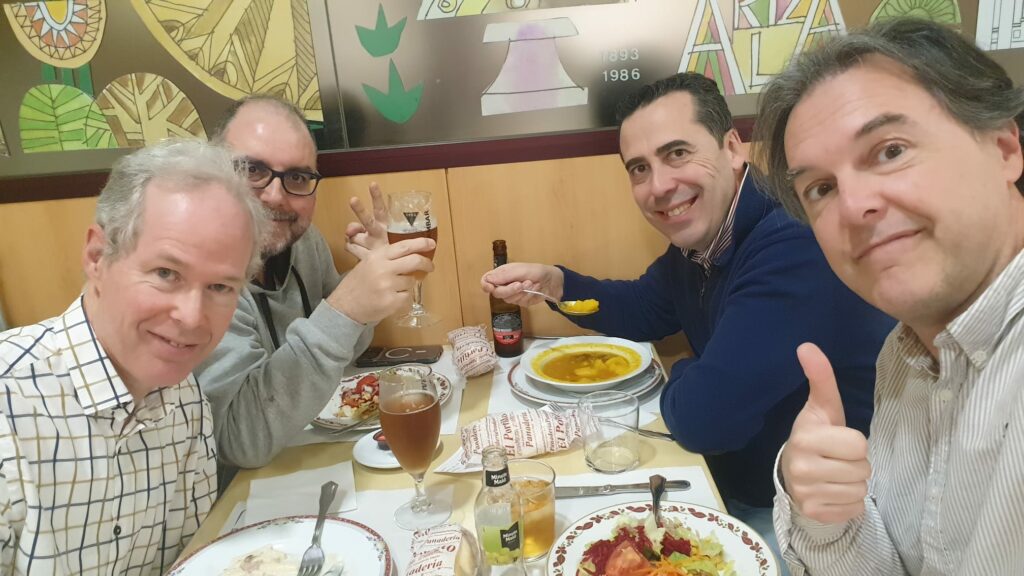
Despite being a deliberately small gathering, the atmosphere was warm and collaborative, and it was great to finally bring a few people together face to face. We had lunch at the nearby University Cafe.

Who came along (and what they brought)

  • Antonio José brought along a Raspberry Pi 4, adding a modern twist to the retro mix.
  • Pablo Mañas, a passionate Apple collector, stopped by briefly to talk about his collection. Although he could only stay a short time due to work, the conversation around the future of his collection was particularly inspiring — including the possibility of it one day being used for hands-on exhibition or educational purposes, perhaps even in a small interactive museum setting.
  • José, president of the Retrobytes club, was on hand helping other members with hardware troubleshooting and repair advice, as always generously sharing his experience.
  • FranXisco brought his ZX Spectrum +2, which sparked plenty of discussion and nostalgia.
  • Vitinillo arrived with a 1990s Apple PowerBook as well as his ZX Spectrum, offering a fascinating contrast between eras.
  • Natxo brought a beautifully preserved ZX Spectrum 48K, originally from Seville. He also helped correct the Spanish translation for Exploring Wilderland, a simplified version of the classic text adventure The Hobbit that I originally coded. We discussed the need for a diagnostic board and a reliable way to load software in order to properly test the machine.
  • Paul – brought his Acorn BBC Micro B running the Spanish version of “Exploring Wilderland” ready for translation testing. He also improved his “Space Probe” game re-coding it without the need for the GXR chip.

A morning well spent

What made the meetup special wasn’t just the hardware on the table, but the shared knowledge, curiosity, and willingness to help one another. There were no presentations or formal structure — just people talking, experimenting, and reconnecting around machines that still have stories to tell.

Several members also expressed appreciation for having a calm, welcoming space in which to meet, and for the opportunity to slow things down and focus on conversation and hands-on exploration.

Thanks again to everyone who came along and helped make the morning such an enjoyable one.

You can find out more about the Retrobytes club in Córdoba here:
https://retrobytes.org/

Filed Under: Event

  • Go to page 1
  • Go to page 2
  • Go to page 3
  • Go to Next Page »

Primary Sidebar

Recent Posts

  • 2026 03 : Falkirk, Business Hub – The I.T. Crowd (Scotland)
  • Riddles in the Dark : Goblin Cave Adventure
  • 2026 03 : Cordoba, La Zona – Retrobytes Mini Meetup
  • Mythic Map
  • 2026 01 : Falkirk, Business Hub – The I.T. Crowd (Scotland)
  • 2026 01 : Cordoba, La Zona – Retrobytes Mini Meetup
  • Exploring Wilderland – Map of the Game
  • The Hobbit : Exploring Wilderland Completed
  • The Hobbit : Exploring the Wilderland
  • The Lords of Midnight : Landscaping
  • Notes on Owlet – A Modern BBC Basic Editor
  • Solid State Storage for a BBC Micro
  • Programming Project : Space Probe
  • Using a BBC Micro B with an HDMI Monitor
  • Acquiring a 40 year old refurbished BBC Micro B Computer

Footer

The Venue

We meet at the Falkirk Business Hub.

Learn more about it here

The blog

Learn about my “rediscovery” of the BBC Micro B here in my blog

Recommended Resources

As I discover them I’ll be logging useful resources for Acorn machines HERE.