Run straight away in Owlet – click below…
🧭 Mythic Map – Essential How to Play Guide
Objective:
Find the Iron Crown, hidden somewhere in the ruins or buildings of a procedurally generated 20×20 world.
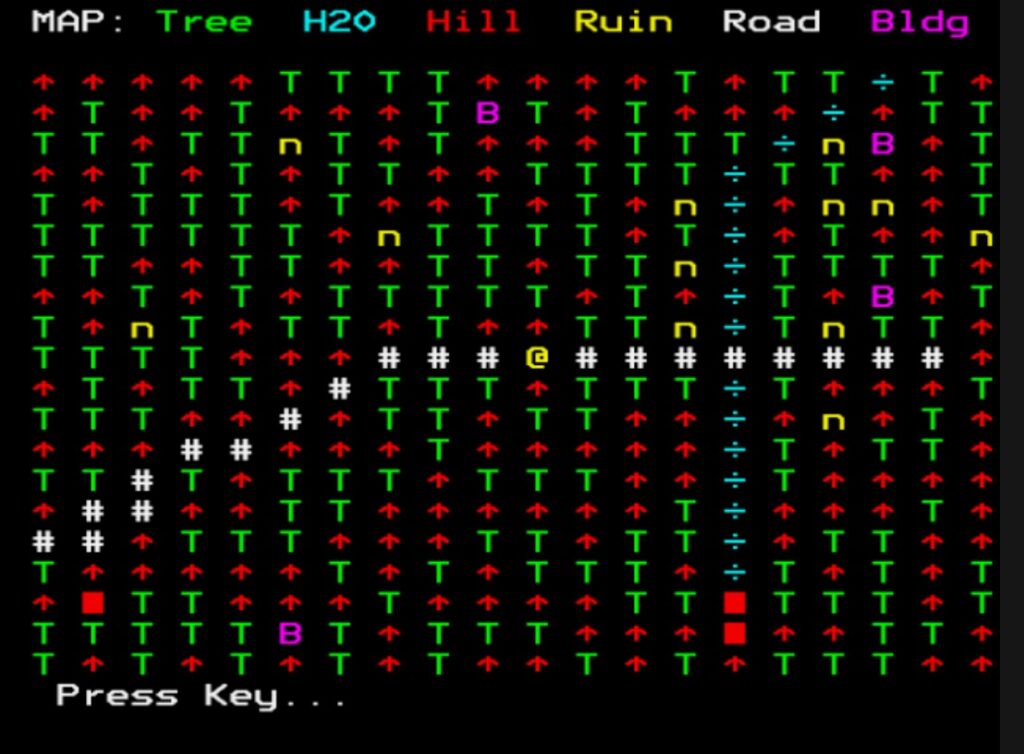
You begin in the centre of the map with 50 supplies. A yellow @ symbol shows your player position when you view the map.\
🎮 Controls
N / E / S / W — Turn to face a direction
T — Travel forward one tile (in the direction you’re facing)
M — View the map
G — Generate a new world
Q — Quit
You always move forward — turning changes your facing direction.
👀 What You See
Each turn, the game describes:
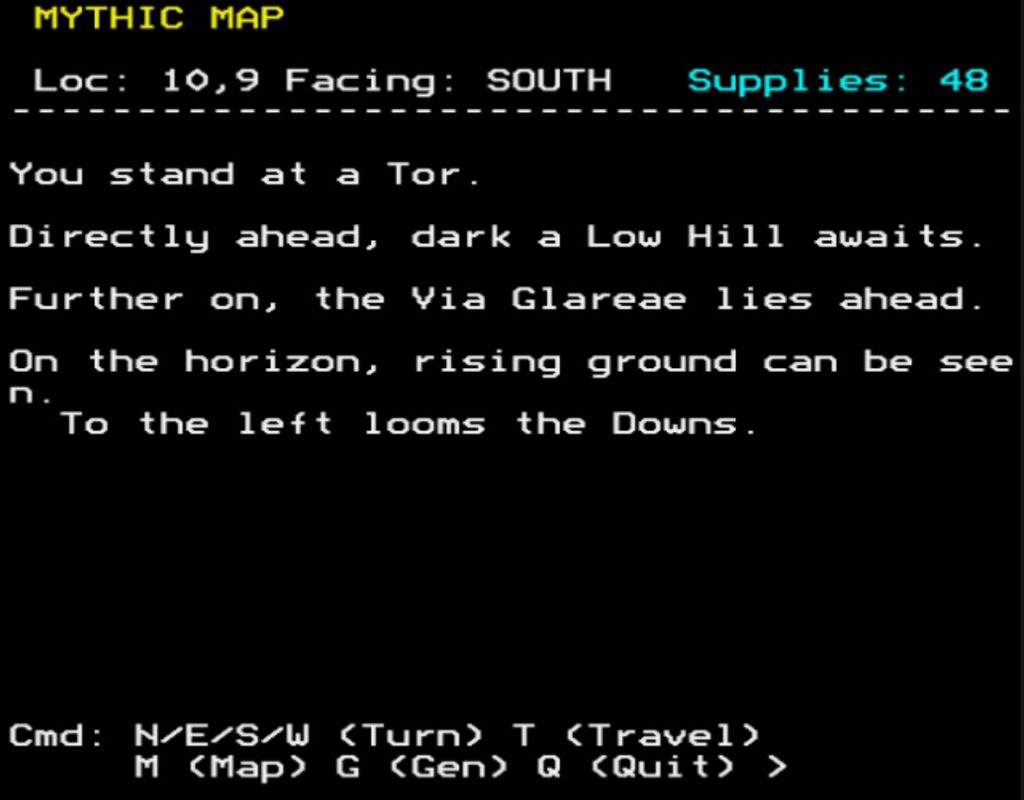
- Your current location
- What lies immediately ahead
- What lies further in the distance
- What can be seen on the horizon
Occasionally important features to your left or right
Think of it as surveying the landscape from your position.
🥾 Supplies & Survival
- Moving consumes supplies.
- Rough terrain (forests, hills) costs more.
- Roads may cost less.
- Some terrain is impassable.
- If supplies reach 0, the game ends.
🏨 Replenishing Supplies
- Find a Coaching Inn (marked as C on the map).
- When you step onto an Inn:
- You automatically rest.
- Supplies +10
Plan routes carefully — Inns are your lifeline.
🗺 Map View
- Press M to see the full map:
- Terrain types are colour coded.
- Your position is marked with “@”.
- Inns are shown as a Magenta “C”
🏆 Winning
- Locate the hidden quest location (in a ruin or building) to recover the Iron Crown and win.
- Explore. Conserve supplies. Use Inns wisely. Survey the land before moving.
That’s all you need to begin.
Development and High Level Code Walkthrough
There’s a very deliberate lineage behind Mythic Map.
Years ago I was fascinated by the way The Lords of Midnight by Mike Singleton handled scale and perspective. It showed you what you could see from your position — mountains looming in the distance, forests rising beyond hills — all rendered through clever layered graphics on very limited hardware. You’ll see from one of my earlier projects in this Stardot subforum post “Landscaping” is a very simple version of this.
Mythic Map takes that same core principle — but applies it to text.
Instead of scaled bitmap landscapes, we now generate “scaled” narrative description:
- Immediate foreground (1 tile ahead)
- Mid-distance (2 tiles)
- Horizon (3 tiles)
- Side scanning for “important” landmarks
It’s essentially using the idea of Landscaping from The Lords of Midnight, distilled into MODE 7 prose.
Design Philosophy
The key idea:
The world is not just where you stand. It is what you perceive.
That’s why PROCLook is the heart of the game.
I’ll stay deliberately high level here.
[b]1. Setup & Data Structures[/b]
DIM M%(19,19)
DIM N$(6,5)
DIM VOC$(9), VAGUE$(6), PHR$(3)
M%(19,19) – The world grid (20×20).
Each cell encodes:
- Terrain type (tens digit)
- Subtype / progression stage (units digit)
N$() holds terrain names.
VOC$() adjectives.
PHR$() distance phrases.
VAGUE$() horizon descriptors.
This is lightweight but powerful: small data tables, combinatorial output.
PROCMakePath
The world is procedurally forged in layers:
- Base terrain (woods vs hills)
- Rivers carved with a directional path
- Roads laid similarly
- Ruins & buildings scattered
- Quest location hidden in valid terrain
This is intentionally fast and replayable.
Notably:
- Rivers and roads use staged progression (STP%) to simulate widening.
- Impassable terrain is encoded in subtype 5.
- Supplies introduce pressure.
This creates:
- Movement constraints
- Resource tension
- Directional decision making
The Core Innovation – PROCLook
This is where the “Lords of Midnight principle” lives.
FOR DIST%=1 TO 3
We scan outward three tiles in the facing direction.
Each distance band:
- Has different descriptive richness
- Uses rank filtering (FNrank)
- Adds side scanning for significant landmarks
The rank system is subtle but key:
DEF FNrank
- Mountains, keeps, impassables = higher importance.
- Trees and low features = lower importance.
This prevents descriptive overload while preserving drama.
The result is sparse but evocative and atmospheric!
Travel & Survival
PROCTravel handles:
- Movement vectors based on facing
- Impassable checks
- Supply drain
- Rest at Inns (+10 supplies)
- Proximity tension message
Victory condition
This creates the gameplay loop:
Look → Decide → Travel → Consume Supplies → Repeat
Map Rendering
PROCPreRender builds colourised MAP_ROW$ strings.
It uses:
- Character tables
- Colour tables
- Special overrides (e.g. Inn = “C”)
This means:
- The map draws instantly.
- No recalculation during display.
What’s Working Well
The perception-based viewing model.
- Distance layering.
- Importance ranking (I think)
- Procedural naming of rivers and roads.
Resource pressure loop.
Clean modular procedures.
Where It Needs Work
The English descriptions are functional — but not yet mythic.
Examples:
“Directly ahead, ancient a Forest awaits.”
“On the horizon, dark shapes can be seen.”
They work mechanically.
But they lack rhythm, cohesion, and narrative tone….so if there’s enough memory I think these could be improved.
What we need:
- Better grammar flow (for sure)
- Perhaps less repetition.
- Stronger atmosphere?
- Even occasional surprise phrases.
- Maybe even variation in sentence structure.