• Skip to primary navigation
  • Skip to main content
  • Skip to primary sidebar
  • Skip to footer

Retro Rendezvous

Connect, Collaborate and Code

  • Home
  • Recommended Resources
  • About Me
  • Contact Me
  • en EN
    • en EN
    • es ES

BBC Micro B

Programming Project : Space Probe

October 30, 2023 by Paul Bussey

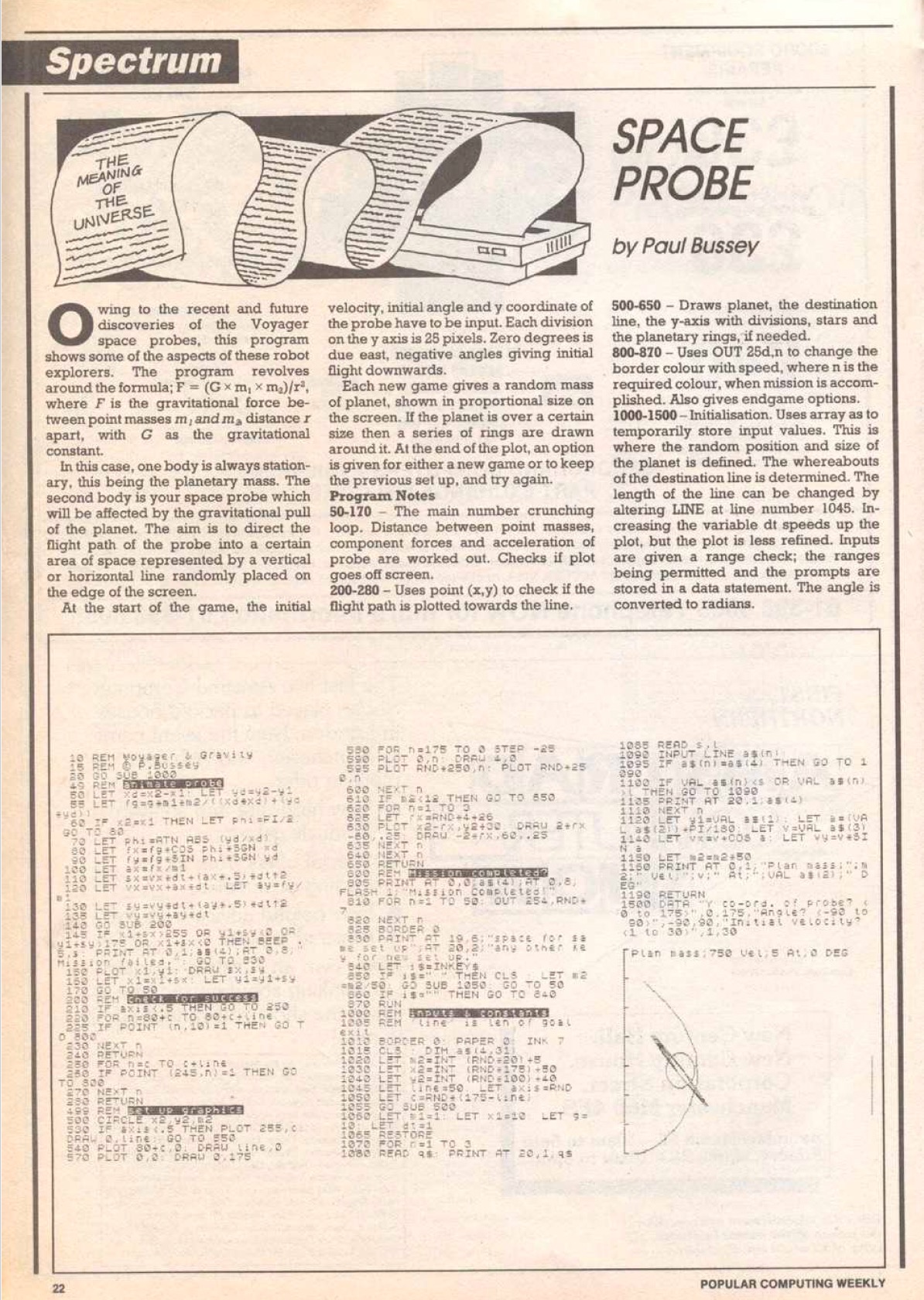
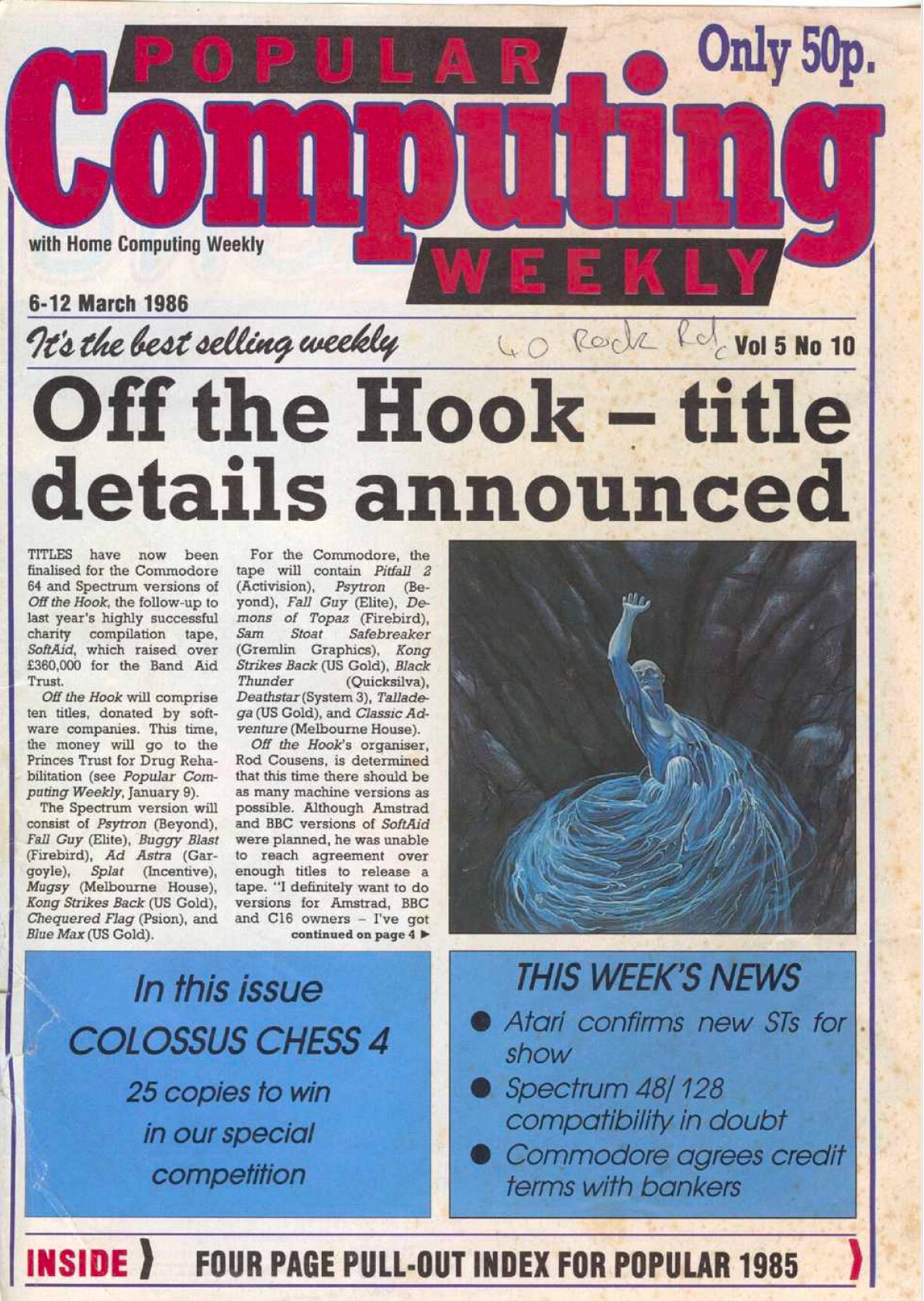
Back in 1986 I coded a game for the ZX Spectrum that was published in Popular Computing Weekly. Remember that magazine, where you could type in Basic programs and perhaps get them to work?

In this thread I’ll be working on converting this to BBC Basic as part of my relearning of this language.

For anyone else that may have published their BASIC programs during that time, there’s two useful archives here:-

1. Index for Spectrum/QL typed in scripts : http://www.users.globalnet.co.uk/~jg27p … _names.htm
2. This archive is from the “World of Spectrum” but the mag covers all scripts from different machines of the time. https://worldofspectrum.org/archive/mag … ing-weekly

Here’s the original mag and published page:-
Image
Image

I’ve been using the excellent Owlet editor on my Mac (I can type faster on a modern keyboard) and my first question is on the use of RND, which is very much prevalent in the code above which I’ll need in the BBC script.

I’ve noticed in Owlet that when using RND(X) it ends up giving you the same number each time, unless you have some code asking for input at the beginning (providing a random time spanned event at the start).

Here’s my finished script which ends up being better than the 1986 version.

Use this link to see and run the BBC Basic script.

Filed Under: BASIC Programming, BBC Micro B

Using a BBC Micro B with an HDMI Monitor

October 13, 2023 by Paul Bussey

In my last post, I had this question left unanswered.

  • Could I somehow use the Beeb with a modern display?

Some Acorn aficionados like the idea of pairing their Acorn machine with original monitors from the same period, notably the Microvitec Cub colour monitors. Personally I wanted a space saving and clear display, that I didn’t have to worry about repairing later down the line. Besides, the Cubs cost a pretty penny – fetching between £200 and £300 at the time of writing.

After searching if the BBC B could support a modern display, I quickly came across this YouTube answer from Retro Computer Shack showing how to connect to a display with an HDMI input. This provides a crisp display on a monitor or TV, using a RGB to SCART cable (£13.50) plus a SCART to HDMI video converter (£29). I went with the advice to get this more expensive converter (Prices at time of writing), since I could see from Amazon feedback the cheaper converters were giving problems.

What was trickier was getting hold of a monitor (rather than a TV) with an HDMI input which from reading from a few sources are a little harder to get hold of nowadays. I got hold of a Dell 19″ HDMI Monitor IPS LED 1280 x 1024 P1917S P1917SF from eBay seller UK Computer Parts which do have a 100% feedback rating. When I received the monitor it was packed adequately but hastily, with some of the packing tape coming off the misshapen box. The fuse was also missing from the plug which caused a bit of initial alarm when I tried switching it on, but once a fuse was put in, the monitor was fine and in good condition.

So the answer to the above is that the Beeb can use a more modern display. You could use of course a display with a SCART input (more common with TVs) saving on having an adaptor – it depends on your preference.

Filed Under: BBC Micro B, Hardware Accessories Tagged With: Display, Monitor

Acquiring a 40 year old refurbished BBC Micro B Computer

October 10, 2023 by admin

At first, I didn’t even realise that it was possible to purchase an original 8 bit computer from the 1980s in working order at a reasonable price. Then when glancing at eBay I could see there was quite a thriving market for retro machines.

At first I was kind of focussed on the ZX Spectrum Next. This is an updated and enhanced modern version of the ZX Spectrum – the idea of owning something that looked retro, yet had a nice design with modern components that didn’t break down appealed. It could even emulate a BBC Micro. There was the ability to even connect the ZX Spectrum to the internet or transfer files via a USB stick.

But the more I thought about it, my experience in the 1980s definitely centred on the BBC B . I did have a ZX Spectrum + as well for a while in that decade …. and both had appeal. However, the accessibility, programability and connectivity of the BBC B won out. This was the machine that I used most and for more serious projects. The Speccy was really just a gaming machine for me.

Also the kind of prices of the ZX Spectrum Next was fetching on eBay (one recently went for more than £1000 in a bidding war!) were quite eye-watering, since the machine is produced in limited numbers via a Kickstarter project. Then you had to add a display on top of the price.

So my attention returned to the BBC B and I had some questions.

  • Were working models even available to purchase?
  • Were there any more modern hacks or ways to use the BBC B?
  • If so, how long would they last after purchase?
  • Could I somehow use the Beeb on a modern display?

Questions 2 and 4 I will answer in other blog posts – but for questions 1 and 3 – I will answer here.

I found a great seller on eBay called Acorn8Bits with a 100% feedback score to boot. They seem to specialise in refurbishing Acorn machines and would replace the components that tended to break down after age.

Even during the 80s, I ended up (together with my father who was luckily an electronics engineer) having to repair my original Beeb, notably replacing the heat sink glue on one of the chips and repairing a dry solder joint or two.

Here is the specification and listing of the Beeb I bought through Acorn8Bits for £220. I was really pleased with the specification.

Acorn BBC Micro Model B 32K

O.S. 1.2

Basic v2

Issue 7 motherboard

Comes with:

* Original User Guide

* Original Welcome tape and Guide

* Opus DDOS DFS 3.46
* Brand new… MMC Solid State user port memory module which has hundreds of games / utilities on

Details:

* RAM has been tested with a memory testing program which reported no errors

* Refurbished power supply (all capacitors replaced and voltages are within tolerance specified by Acorn)

* Motherboard removed and all parts of the case (upper and lower) cleaned;  a little yellowing

* Original keyboard, motherboard retaining screws and power supply retaining screws

* New case retaining screws

* Ashtray (ROM port on the left of the keyboard) is intact

* Perspex function keyboard strip is in fairly good condition (odd mark)

* Keyboard has been cleaned with all keys removed, washed and carefully replaced.

* All keys have been tested and work

Other Details:

* The X1 crystal and IC14 have both been replaced as they are worked hard and a common failure point

* No warranty other than DOA (UK only) as the machine is almost 40years old but it has been tested and is working fine

So no warranty available – but what could be expected with a 40 year old machine? There was no equivalent of a “BBC Micro Next” – (like the ZX Spectrum Next) using modern components. I’ve read somewhere that this kind of Kickstarter project has been thought about, It seems the constraints on this are including all of the interfaces would just make the end product too expensive!

With the most delicate components replaced and the keyboard cleaned, plus with the MMC drive (more details on this in a future post) providing instant loading of many games, I thought it was a great deal for the price and I’ve been very happy with the result.

Here’s a pic of the inside of my BBC Micro – you can see the modern blue circuit board of the MMC drive just above the keyboard.

Filed Under: BBC Micro B

  • « Go to Previous Page
  • Go to page 1
  • Go to page 2

Primary Sidebar

Recent Posts

  • 2026 03 : Falkirk, Business Hub – The I.T. Crowd (Scotland)
  • Riddles in the Dark : Goblin Cave Adventure
  • 2026 03 : Cordoba, La Zona – Retrobytes Mini Meetup
  • Mythic Map
  • 2026 01 : Falkirk, Business Hub – The I.T. Crowd (Scotland)
  • 2026 01 : Cordoba, La Zona – Retrobytes Mini Meetup
  • Exploring Wilderland – Map of the Game
  • The Hobbit : Exploring Wilderland Completed
  • The Hobbit : Exploring the Wilderland
  • The Lords of Midnight : Landscaping
  • Notes on Owlet – A Modern BBC Basic Editor
  • Solid State Storage for a BBC Micro
  • Programming Project : Space Probe
  • Using a BBC Micro B with an HDMI Monitor
  • Acquiring a 40 year old refurbished BBC Micro B Computer

Footer

The Venue

We meet at the Falkirk Business Hub.

Learn more about it here

The blog

Learn about my “rediscovery” of the BBC Micro B here in my blog

Recommended Resources

As I discover them I’ll be logging useful resources for Acorn machines HERE.